There’s this particular kind of frustration that hits when you spend an entire day at your desk, deeply convinced you’re being productive, and then look back at what you actually shipped. Nothing. Or close to it. For me, that was a long stretch of 2024; long days, lots of tabs open, and very little to show for it.
I knew what the problem was. I just couldn’t figure out how to fix it.
Most productivity tools I tried felt like they were designed for a different kind of person. Notion boards I’d set up and abandon in three days. Reminder apps I’d snooze indefinitely. Calendar blocks I’d ignore the moment I got into flow. The friction of using the tool was always fighting against the actual goal. What I wanted wasn’t another app to manage; I wanted something that just knew what I was doing and could nudge me when I was drifting. Something that felt less like a system and more like a presence.
So I built Yumi.
The Idea
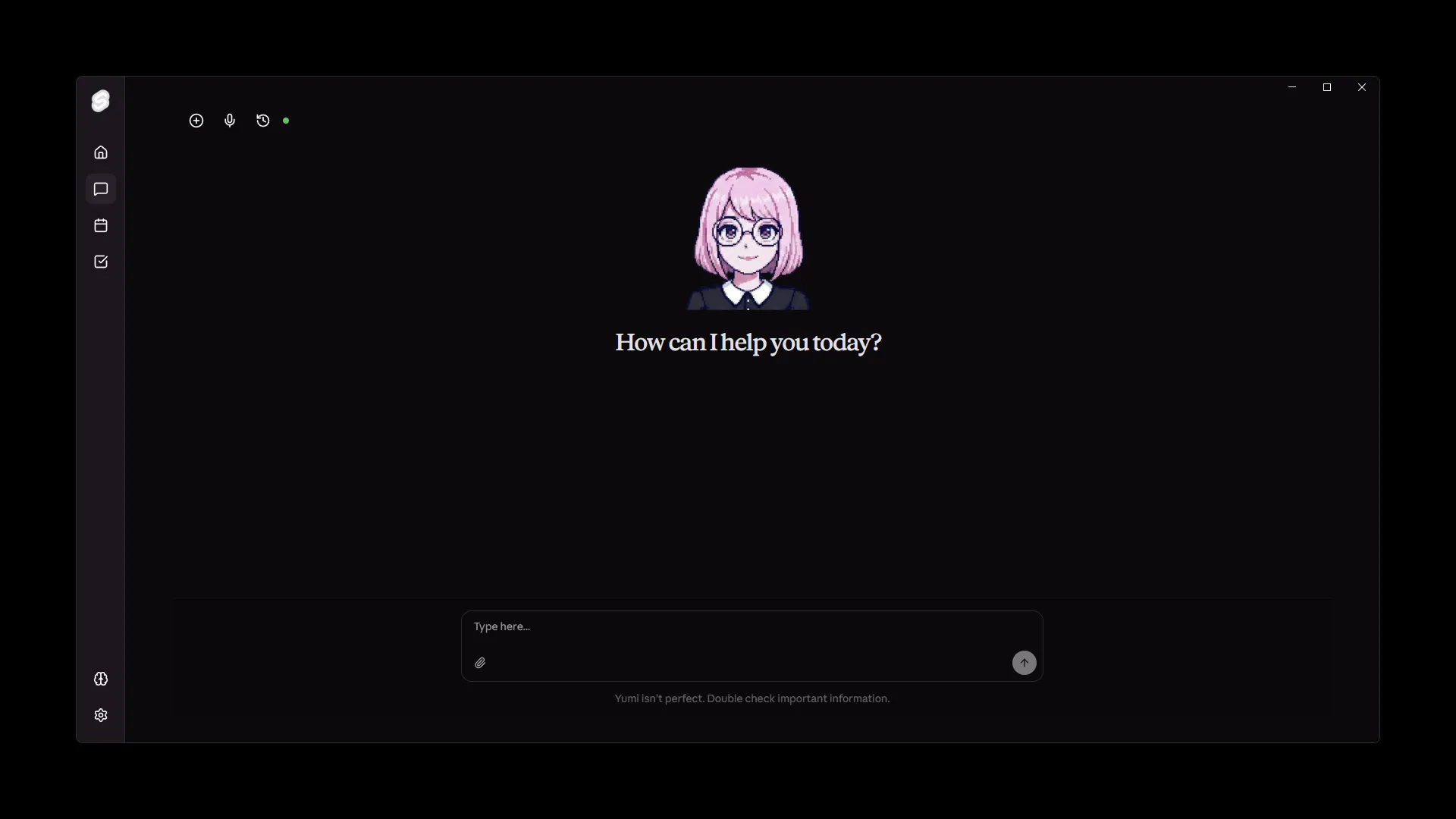
Yumi is a proactive AI companion and personal knowledge system. The “proactive” part is what sets the tone for everything else about how it’s built. Most AI tools are reactive; you ask, they answer. Yumi is designed to be the one reaching out first. During focus sessions I start within the app, she tracks context, monitors how things are progressing, and nudges me when I’m veering off. And not through a cold notification; through actual conversation, with a personality, with natural TTS that makes talking to her feel less weird than it sounds.
The knowledge system side of things came naturally from that. If she’s going to be genuinely helpful in the moment, she needs to actually know things about me; my tasks, my notes, my calendar, what I’ve been working on, what’s overdue, what I cared about last Tuesday. That’s a harder problem than it looks.
How It Actually Works
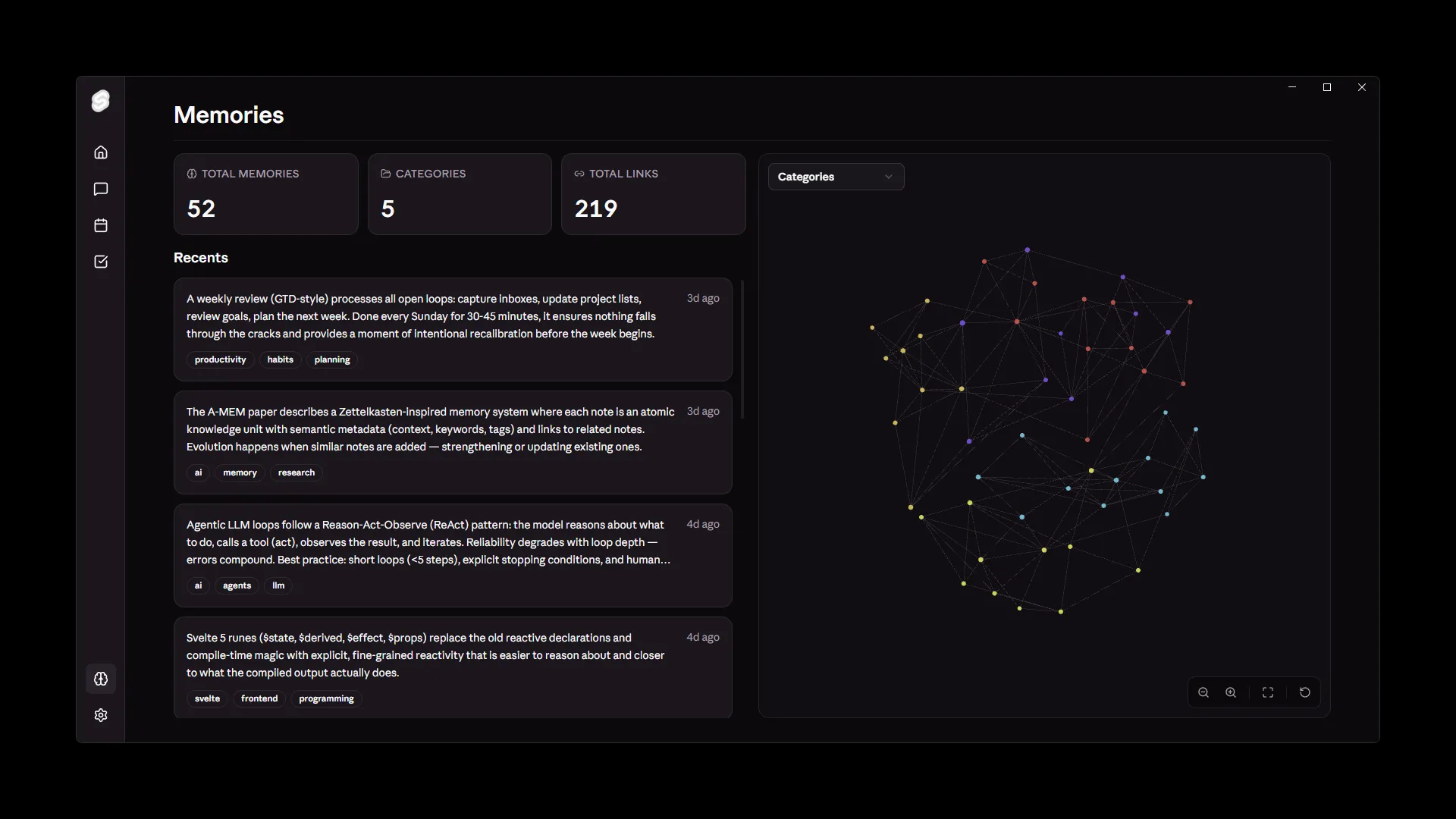
The core of Yumi is a hybrid RAG pipeline, combining full-text search () with vector embeddings to retrieve context across everything I’ve fed into it. But the part I’m most proud of is what sits on top of that: a real-time knowledge graph that maps ingested data to entities, relationships, and temporal markers. So it’s not just “here’s a chunk of text that matches your query”; it’s “here’s this piece of information, here’s what it connects to, and here’s how recent it is.” Context-aware and temporally-aware retrieval, on-device, with optional cloud integration.
Being privacy focused was important from the start. This is my personal data; notes, tasks, calendar events, things I’d never want sitting on someone else’s server. For now, I allow optional Cloud API integration for faster development, but the core functionality is designed to work fully offline.
The Part That Surprised Me
Honestly, the technical architecture was the easy part. What surprised me was how much the personality design mattered.
Early versions of Yumi were capable but cold. She’d retrieve the right information and surface the right reminders, but the interaction felt like querying a database. That killed the whole point. If I wanted to talk to a database, I’d write a SQL query. What made Yumi feel like it was actually working was when I started shaping her tone; giving her a consistent personality, tuning the TTS to something that didn’t make me want to mute her after five minutes, and making her responses feel like they came from somewhere rather than being generated.
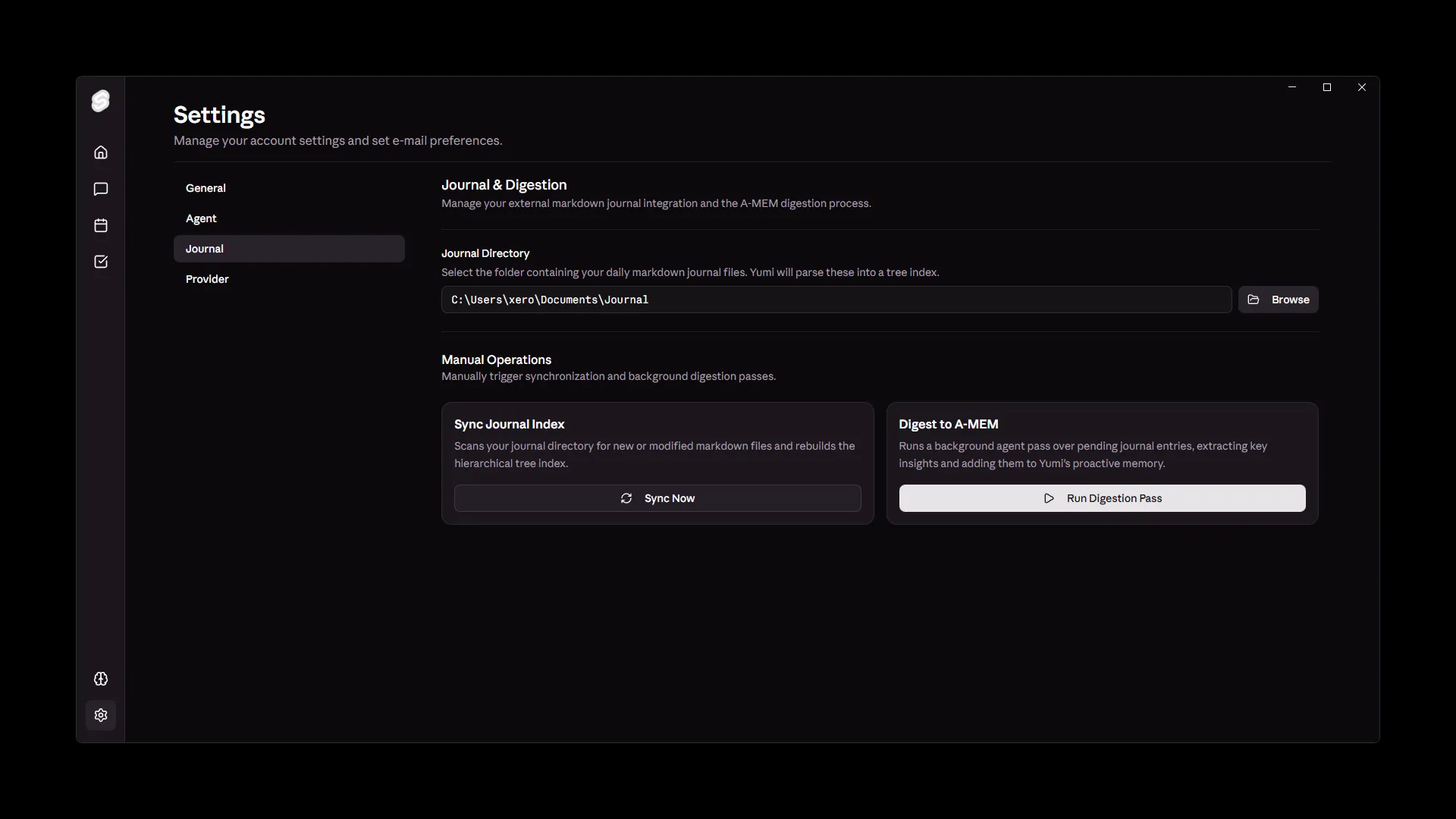
The journal digestor designed using concepts from the PageIndex framework worked really well for this. It creates a narrative out of the raw data, which made the conversation flow much more naturally. Instead of “You have 3 overdue tasks,” it became “Hey, I noticed you have a few things that slipped through this week. Wanna take a look at them together?” That shift in framing made all the difference in how I engaged with her.
What I Learned
Building Yumi pushed me into parts of the stack I hadn’t touched before; CalDAV protocol implementation, data structures for the knowledge graph updates, ONNX model management for running NLP on-device without melting my laptop. There were definitely moments where I questioned whether I was overengineering a personal productivity tool.
But the honest answer is that the constraints I set for myself, being performant, privacy-focused and genuinely proactive, made it a much more interesting engineering problem than if I’d just wrapped an API call.
Yumi is still a personal project, I haven’t open-sourced it yet, and I’m still actively building on it. If you want to talk about the architecture or how any of the components work, my inbox is open.